Icon of program: Ken Rename

Ken Rename for Windows

  • Free
  • 4.5
    28
  • 17.8K
  • V1.02
Free Download for Windows

View an ad to download for free

Efficient File Renaming with Ken Rename

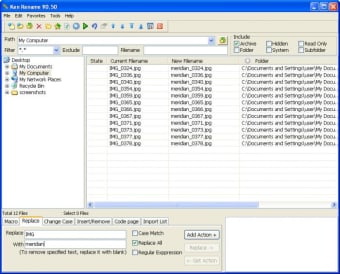
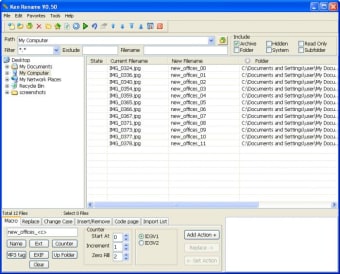
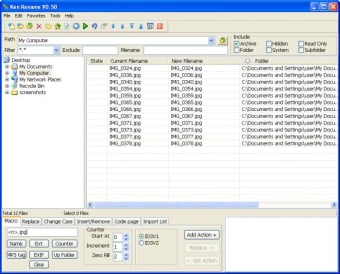
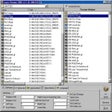
Ken Rename is a free utility application designed for Windows users, focusing on simplifying the file renaming process. With its user-friendly interface, it allows individuals to manage and rename multiple files efficiently, making it an ideal tool for anyone who frequently handles large volumes of files. Users can take advantage of various renaming options such as batch renaming, adding prefixes or suffixes, and replacing specific text, which can significantly streamline file organization tasks.

Top Recommended Alternative

This application is particularly useful for professionals and casual users alike, as it supports a wide range of file formats and offers customizable settings. Ken Rename enhances productivity by providing quick and straightforward tools for renaming, allowing users to save time and reduce errors during file management. As a free tool, it presents a valuable solution for anyone looking to improve their file handling capabilities.


 0/4

App specs

  • Developer

  • License

    Free

  • Version

    1.02
  • Latest update

  • Platform

    Windows

  • OS

    Windows XP

  • Language

    English

    Available languages

    • English
    • Spanish
    • French
    • Italian
    • Russian
    • Chinese
  • Downloads

    17.8K

    Last month's downloads

    • 33
  • Size

    1.02 MB

Program available in other languages


Icon of program: Ken Rename

Ken Rename for PC

  • Free
  • 4.5
    28
  • 17.8K
  • V1.02
Free Download for PC

View an ad to download for free


User reviews about Ken Rename

4.5

3 reviews

Add review

Main reviews for you

  • Anonymous user

    Mostly VERY good, but missing one piece of functionality. Hi!Great tool which has al functions I need but one: is it possible to integrate Sharepoint access (maken krename.exe find a sharepoint site and access it)?That would make it truly perfect!regards, Joe

  • Anonymous user

    Very handy tool . I love being able to batch rename a series of files to correct the crappy file names torrent files have at times. Pros: Lots of options to get where you want to go Cons: A bit of a learning curve to find the easest way to get to that goal.

  • Anonymous user

    Ken rename is good. One thing about Ken Rename is that is can rename directories too. Maybe you are doubting about the essence of that function until you need it. Pros: It can rename subdirectories too. Cons: Well, for the moment i cannot tell the cons.

More

You may also like

Alternatives to Ken Rename

Explore Apps

Latest articles

Laws concerning the use of this software vary from country to country. We do not encourage or condone the use of this program if it is in violation of these laws.

Softonic

Is Ken Rename safe?

98/100

Score result: Clean

This file passed a comprehensive security scan using VirusTotal technology. It is safe to download.

  • Virus free
  • Spyware free
  • Malware free
  • Verified by Security Partners

    VirusTotal logo

Scan Info

Last scan
Saturday, December 23, 2023
Scan provider
VirusTotal · Full report

File Integrity

File
KRenameSetup.zip
SHA256
7f87fe75359b5109728cb29c7db987a675f77901b7224d50658cc43b14cd5d2f
SHA1
7bdc795212d9ca4eabcc73afe1e3db1b150c4a8f

Softonic security commitment

Ken Rename has been thoroughly scanned by our advanced security systems and verified by industry-leading partners. This file comes from the official developer and has passed all our security checks, showing no signs of viruses, malware, or spyware. For more information, visit our Security and Trust Center

Signed in to Softonic as